
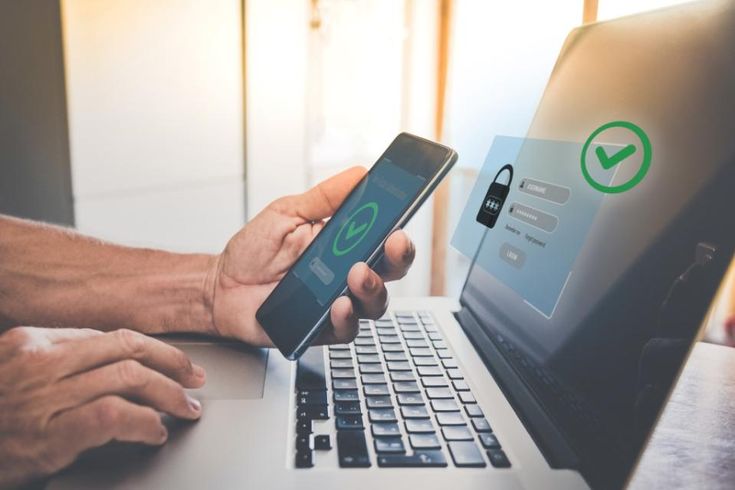
The Ultimate Guide to Protect Your Digital Assets
Why 2FA is Non-Negotiable for Crypto Investors
Using two-factor authentication for crypto protection: In the ever-evolving landscape of digital finance, two-factor authentication for crypto security has become an essential defense mechanism. As cryptocurrencies rise in popularity and value, they also attract cybercriminals looking for vulnerable accounts to exploit. This is where 2FA—a simple yet powerful layer of protection—steps in. By adding an extra verification step, crypto users can drastically reduce the risk of unauthorized access. In this guide, we’ll break down what two-factor authentication is, why it’s crucial for securing crypto wallets, how to set it up on major platforms, and how it significantly helps in preventing hacks with two-factor authentication.
What is Two-Factor Authentication (2FA)?
Two-factor authentication (2FA) is a security process that requires users to provide two different types of identification before accessing their accounts. These factors typically include:
-
Something you know – like a password or PIN.
-
Something you have – such as a smartphone app or physical token.
By requiring both, 2FA makes it significantly harder for attackers to gain unauthorized access, even if they manage to steal your password.
Why Two-Factor Authentication for Crypto Security is Vital
💣 The Threat Landscape in Crypto
Cryptocurrency platforms are frequent targets for hackers due to the irreversibility of transactions and the anonymity involved. Once stolen, crypto assets are almost impossible to recover. With billions lost to hacks and scams annually, securing crypto with 2FA isn’t just an option—it’s a necessity.
🛡️ How 2FA Enhances Crypto Wallet Security
Using two-factor authentication for crypto security adds a robust shield around your digital assets. Even if a hacker obtains your password through phishing or a data breach, they won’t be able to access your wallet without the second authentication factor. (Using two-factor authentication for crypto protection)
Popular 2FA Methods for Crypto Users
When enabling 2FA on crypto platforms, users can choose from a variety of options:
1. SMS-Based 2FA
Receives a code via SMS. Convenient, but less secure due to SIM-swap vulnerabilities.
2. Authenticator Apps (Recommended)
Apps like Google Authenticator, Authy, or Microsoft Authenticator generate time-sensitive codes. These are more secure than SMS-based methods.
3. Hardware Tokens
Physical devices like YubiKey or Ledger Hardware Wallets offer the highest level of protection by generating 2FA codes offline.
4. Biometric Authentication
Using fingerprint or facial recognition as a second layer. Often used in combination with app-based 2FA for mobile wallets.
How to Enable 2FA on Major Crypto Platforms
Here’s a step-by-step look at enabling 2FA on some popular crypto exchanges and wallets:
Coinbase
-
Go to Settings → Security.
-
Click “Enable 2FA”.
-
Choose an authenticator app and scan the QR code.
-
Enter the 6-digit code to confirm.
Binance
-
Navigate to Account Dashboard → Security.
-
Select “Google Authenticator”.
-
Scan the QR code and input the code from the app.
Kraken
-
Log in and visit the Security section.
-
Enable “Two-factor authentication”.
-
Use a recommended app like Authy for setup.
MetaMask
While MetaMask doesn’t natively support 2FA, securing the associated email and recovery phrase with 2FA is critical. You can also use MetaMask with hardware wallets for enhanced security.
For every platform you use, make sure to enable 2FA on crypto platforms immediately upon creating an account.

Securing Crypto with 2FA: Best Practices
🔁 Backup Your 2FA Codes
Always write down your backup keys or store them in a secure password manager. If you lose access to your device, you’ll need these to regain access.
🔒 Use a Password Manager
A password manager can generate strong, unique passwords and securely store your 2FA backup codes.
🚫 Avoid SMS When Possible
Securing crypto with 2FA via SMS is better than no 2FA, but it’s vulnerable to SIM-swapping. Prefer app-based or hardware-based 2FA whenever possible.
💼 Apply 2FA Across All Accounts
Not just for crypto platforms—enable 2FA on your email, exchanges, trading apps, and cloud storage to create a multi-layered security perimeter.
Preventing Hacks with Two-Factor Authentication
🧠 Real-World Example: The SIM Swap Scandal
Many crypto investors have lost fortunes due to SIM swap attacks—where hackers trick mobile carriers into transferring a victim’s phone number. With access to SMS 2FA, hackers can drain wallets in minutes. App-based and hardware 2FA neutralize this threat.
🕵️ Protecting Against Phishing
Even if you accidentally fall for a phishing scam and input your password, preventing hacks with two-factor authentication ensures the attacker can’t log in without your device-generated code.
Conclusion: Don’t Be the Next Victim—Secure Your Crypto Today
If you’ve invested in cryptocurrency, you’ve already embraced the future of finance. Now it’s time to protect your investment. Two-factor authentication for crypto security isn’t just a precaution—it’s a requirement in today’s digital threat environment.(Using two-factor authentication for crypto protection)
Whether you’re trading, storing, or just HODLing, enabling 2FA on crypto platforms is your first and strongest defense. Don’t wait until it’s too late—secure your crypto with 2FA now and rest easy knowing your assets are safer.
Call to Action
🔐 Have you enabled 2FA on all your crypto accounts? If not, start now. Share this guide with your community and help others secure their digital assets before it’s too late. For more tips, subscribe to our newsletter and stay updated on the latest in crypto security.